✦ Thumbnail design for YouTube
Thumbnails built to get clicked.
One image decides if your video gets opened. I design thumbnails built to get watched.
01 · The symptoms
Is this your channel?
Great videos. Weak clicks.
The content got better. The views didn't.
Thumbnails that look fine and perform average.
Hours in Photoshop for a maybe.
If any of these stung — that's what I fix.
02 · The spotlight
One frame at a time.
One thumbnail in the spotlight at a time. Drag it, arrow through it, click the big one for full size.
03 · Thumbnails
Every thumbnail.
Thirty two thumbnails, full size. Click any of them — this is what your channel could look like.
04 · The build
From rough to clicked.
Where it started on the left, the finished thumbnail on the right. Drag the handle and watch it land.
05 · The process
Three steps. No friction.
Send the topic, the vibe and anything you already have. A title, a frame, a face. Rough is fine.
Concept, composition, color and type, built around the one promise that makes a viewer stop scrolling.
You react, I refine. The thumbnail is done when both of us would click it without thinking.
06 · The difference
Any thumbnail vs mine.
- Looks like the template it came from
- Guesses at the promise
- Fine at a glance, forgotten in the feed
- Built around one promise
- Composed for the click
- Polished until it hits
Same video. Different image. More clicks.
07 · The designer
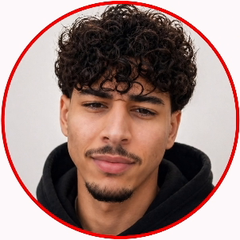
Hi, I'm Achraf.
I design every thumbnail on this page. Full-time focus: thumbnails that make people click.
08 · The questions
Asked and answered.
How does the process work?
Three steps. You describe your video — topic, vibe, anything you already have. I design the click around the one promise that stops the scroll. Then we polish until it hits.
What do I send to start?
The topic, the vibe and anything you already have. A title, a frame, a face. Rough is fine — the concept is my job.
What niches do you cover?
Sports, docu, tech, product, reaction. Different niches, same goal: the click.
How do revisions work?
You react, I refine. The thumbnail is done when both of us would click it without thinking.
What ships with every thumbnail?
One promise, front and center. Concept, composition, color and type built around it. Revisions until both of us would click. Ready to upload.
How do I start?
Hit Start a project, drop your name and a short brief in the form, and it opens straight in your email app. That's step one of three.
Contact me.
Let's create thumbnails that get more clicks.
- One promise, front and center
- Concept, composition, color and type built around it
- Revisions until both of us would click
- Ready to upload